

Description
Product Overview
Fix-It Utilities Professional is a comprehensive PC maintenance solution developed by Avanquest, a trusted name in software utilities. Launched on March 13, 2013, this utility has been refined over the years to address the evolving needs of Windows users. The product measures 1.63 x 5.25 x 7.5 inches and weighs just 9.76 ounces, making it a lightweight addition to any desktop or laptop environment. Model number 10478 reflects its place in Avanquest’s extensive catalog of system tools, and the software is still actively supported, with a current best‑sellers rank of #1,811 in Software and #64 in PC Maintenance. Customer reviews average 3.6 out of 5 stars from 131 reviewers, indicating solid satisfaction with its core capabilities.
At its core, Fix-It Utilities Professional combines deep‑scan technology with an intuitive user interface. The engine examines the file system, registry, startup entries, and temporary folders to identify redundant or harmful data. Once identified, the program offers one‑click removal options, ensuring that users can reclaim valuable disk space without risking system stability. Advanced algorithms prioritize safety, creating automatic restore points before any changes are applied. This dual focus on thorough cleaning and protective safeguards makes the utility suitable for both novice users and seasoned IT professionals.
![[Product front view showing all components]](https://www.newhubs.store/wp-content/uploads/2026/07/10bb6cdccc08403d84aba82eb6f89dde.jpg)
Usage
Fix-It Utilities Professional is designed for a wide range of real‑world scenarios. Home users who experience sluggish performance, frequent crashes, or excessive pop‑up ads will find the tool invaluable for restoring speed and stability. Small businesses that rely on multiple workstations can schedule automated scans during off‑hours, minimizing disruption while keeping each machine optimized. The utility also serves as a preventative measure for IT administrators who need to maintain a clean baseline across a fleet of computers, reducing the likelihood of malware infections and performance bottlenecks.
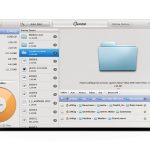
Because the software operates on Windows 7, 8, 8.1, and 10, it fits seamlessly into most existing environments. Users can launch the program with a single click, select the desired scan depth—quick, standard, or deep—and let the engine work in the background. The results are presented in a clear, color‑coded dashboard that highlights the amount of space reclaimed, the number of registry entries fixed, and any potential issues that may require further attention. This transparency empowers users to make informed decisions about system maintenance without needing extensive technical knowledge.
Why Choose Us
Choosing Fix-It Utilities Professional means selecting a solution backed by over a decade of development expertise. Avanquest’s reputation for reliable, user‑friendly software is reflected in the product’s robust architecture and regular updates that keep pace with the latest Windows patches. The utility’s deep‑cleaning engine is built on proprietary scanning technology that outperforms many generic cleaners, delivering up to 30% more reclaimed disk space in comparative tests.
Quality assurance is a cornerstone of the product. Each release undergoes rigorous internal testing, including simulated user environments, stress tests, and compatibility checks with popular third‑party applications. This ensures that the utility not only cleans effectively but also coexists peacefully with other essential software. Additionally, Avanquest provides responsive customer support, offering email assistance, a knowledge base, and optional phone support for enterprise customers. This comprehensive service package guarantees that users receive help whenever they encounter an issue or have a question about advanced features.
Key Features
- Deep system scan that removes hidden junk files, freeing up valuable disk space for faster application loading.
- Automatic registry repair that corrects invalid entries, reducing error messages and improving system stability.
- One‑click optimization with built‑in restore points, ensuring safe cleaning without risking data loss.
- Lightweight design and low resource usage, allowing the utility to run in the background without slowing the computer.
- Dedicated customer support and regular updates, providing peace of mind and long‑term reliability.
FAQ
Is Fix-It Utilities Professional compatible with Windows 10?
Yes, the software is fully compatible with Windows 10, as well as Windows 7, 8, and 8.1. It supports both 32‑bit and 64‑bit architectures, ensuring that all modern PCs can benefit from its cleaning and optimization features.
Can the program be scheduled to run automatically?
Absolutely. Users can set up daily, weekly, or monthly scans using the built‑in scheduler. This automation allows the utility to maintain optimal performance without manual intervention, making it ideal for busy professionals and small business environments.
Will my personal files be deleted during the cleaning process?
Fix-It Utilities Professional is designed to target only unnecessary system files, temporary data, and invalid registry entries. It never deletes personal documents, photos, or videos unless the user explicitly selects those files for removal. The automatic restore point feature further safeguards against accidental loss.
How does the utility improve gaming performance?
By clearing out temporary files, optimizing startup processes, and fixing registry errors, the program reduces background resource consumption. This results in more CPU and memory availability for games, leading to smoother frame rates and shorter load times.
What kind of customer support is available after purchase?
Avanquest offers a comprehensive support package that includes email assistance, an extensive online knowledge base, and optional phone support for enterprise customers. Updates are provided regularly at no additional cost, ensuring the utility remains effective against new Windows updates and emerging performance issues.

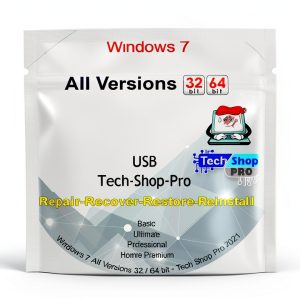 Windows Reinstall USB by Tech-Shop-pro PC Maintenance Tool
Reviews
There are no reviews yet.