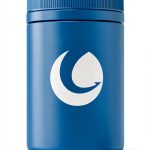


Description
Product Overview
iolo DriveScrubber is a compact PC maintenance utility designed to permanently erase unwanted data and restore storage media to near‑new performance. Built by iolo, a reputable software developer, the tool supports hard drives, SSDs, USB flash drives, memory cards, digital cameras and other removable devices. The program uses multiple overwrite passes and verification algorithms to ensure that deleted files cannot be recovered by forensic tools. In addition to secure deletion, DriveScrubber includes a cleaning engine that removes residual fragments, temporary files and fragmented data, helping to improve overall system speed and reliability. The software’s lightweight installer occupies less than 5 MB and runs on Windows 7, 8, 10 and 11, making it suitable for both legacy and modern computers. Its intuitive interface guides users through a step‑by‑step process, allowing even non‑technical users to safely manage sensitive information.
![[Product front view showing all components]](https://www.newhubs.store/wp-content/uploads/2026/07/f5662afcf508467a8e1fd49c57c3d177.jpg)
The software’s core engine employs a combination of random data patterns and verification cycles to guarantee that each sector of the target drive is overwritten. Users can select from preset security levels, ranging from a quick three‑pass overwrite suitable for everyday privacy needs to a rigorous seven‑pass method that complies with government‑grade data destruction standards. The program also offers a custom mode where the number of passes and the data pattern can be defined, giving advanced users full control over the sanitization process.
DriveScrubber integrates a diagnostic scanner that evaluates the health of the selected drive before any operation begins. The scanner reports SMART attributes, bad sector count, and overall performance metrics, allowing users to make informed decisions about whether a drive should be repaired, backed up, or safely erased. This pre‑erase assessment helps prevent accidental data loss on drives that may be failing, and it provides a convenient way to monitor drive longevity over time.
The user interface presents a clear visual timeline that shows the progress of each overwrite pass, estimated time remaining, and a final confirmation screen once the process completes. For users who prefer command‑line automation, DriveScrubber also includes a set of silent‑mode switches that can be integrated into batch scripts or scheduled tasks, enabling enterprises to automate secure erasure across multiple machines without manual intervention.
Compatibility testing confirms that DriveScrubber works reliably with a wide range of storage manufacturers, including Seagate, Western Digital, Samsung, Kingston and SanDisk. The software automatically detects the drive’s connection type—whether SATA, NVMe, USB 2.0, USB 3.0 or USB‑C—and adjusts its overwrite algorithm to match the optimal transfer rates, ensuring efficient operation while maintaining data security. Users can also export a detailed log file that records the date, time, drive model, and the specific overwrite parameters used, which is useful for audit trails and compliance documentation.
Installation of DriveScrubber is straightforward: the installer extracts the core files to a hidden system folder and registers a lightweight service that runs with standard user privileges. The program requires a minimum of 512 MB RAM and 50 MB of free disk space, making it suitable for older PCs that may have limited resources. It supports both 32‑bit and 64‑bit Windows architectures, and the license is tied to a single user account, allowing installation on multiple machines owned by the same individual without additional cost. The software does not collect personal data during operation, adhering to privacy‑first principles.
Security certifications and compliance are integral to DriveScrubber’s design. The software aligns with NIST SP 800‑88 guidelines for media sanitization, offering both clear and purge methods that meet industry expectations. For organizations subject to GDPR, the tool provides audit‑ready logs that record the exact time and method of each erasure, facilitating documentation for data protection officers. Additionally, the product’s source code undergoes periodic third‑party reviews to verify that no hidden backdoors or telemetry mechanisms are present, reinforcing trust among security‑conscious users.
Future updates for DriveScrubber are planned to include support for emerging storage technologies such as NVMe over Fabrics and portable SSDs with built‑in encryption. The development roadmap also envisions a cloud‑based management console that allows administrators to monitor erasure activities across multiple endpoints from a centralized dashboard. By continuously expanding compatibility and adding management features, iolo aims to keep DriveScrubber relevant as storage solutions evolve.
Usage
DriveScrubber is useful in a variety of everyday and professional contexts. Home users can run the program before donating or recycling a computer to guarantee that personal files, photos and passwords are completely removed. Small businesses can incorporate the tool into their data‑retention policies, ensuring that employee records and client information are destroyed when devices are decommissioned. IT technicians often use DriveScrubber to prepare laptops and desktops for resale, as the secure erase function meets compliance standards such as GDPR and HIPAA. The software also supports external media, allowing photographers to wipe memory cards after a shoot, and gamers to clean USB drives that store game saves. Because the utility works on both HDD and SSD technologies, it adapts to the storage architecture of any modern PC.
When preparing a device for resale, DriveScrubber can be used to completely wipe the system partition, ensuring that the new owner receives a clean slate. The program also offers a quick format option that removes the file system structure without overwriting the entire disk, which is useful when the user simply wants to repurpose a drive for non‑sensitive data. For organizations that manage large fleets of computers, the ability to generate batch scripts allows administrators to schedule nightly erasure tasks, reducing the risk of data leakage after employee turnover.
DriveScrubber’s support for removable media makes it a valuable tool for photographers, videographers and field workers who regularly handle memory cards and external SSDs. By securely erasing these devices after each project, users prevent accidental exposure of client‑sensitive footage or images. The software also includes a verification step that reads back the overwritten sectors to confirm that no residual data remains, providing an extra layer of assurance for high‑security environments such as legal firms or medical clinics.
For gamers who store save files on USB sticks, DriveScrubber offers a fast wipe mode that clears the drive in seconds, allowing quick reuse without compromising performance. The utility also respects the wear‑leveling algorithms of modern SSDs, minimizing unnecessary write cycles during the erase process, which helps extend the lifespan of the storage device. This balance of speed and safety makes the program suitable for both casual users and power users who demand efficient data management.
Educational institutions can leverage DriveScrubber to protect student privacy when decommissioning computer labs. By securely wiping all storage devices before they are repurposed or donated, schools ensure compliance with FERPA regulations and avoid accidental disclosure of academic records. The batch processing feature simplifies the task for IT staff, allowing them to schedule erasure operations during off‑hours to minimize disruption to classroom activities.
For developers and testers, DriveScrubber offers a sandbox mode that creates a virtual drive image, performs the erase operation, and then discards the image without affecting any real hardware. This feature is useful for verifying the effectiveness of the overwrite algorithm or for demonstrating secure deletion procedures in training sessions. The virtual environment runs entirely in RAM, ensuring that no residual data is written to physical storage.
In environments where multiple drives need to be sanitized simultaneously, DriveScrubber can be launched with a command‑line argument that specifies a list of target devices. The program then processes each drive sequentially, providing a summary report at the end of the operation. This capability is especially valuable for data centers and repair shops that handle large volumes of storage media on a daily basis.
Compliance officers often require proof that data has been destroyed in accordance with regulatory standards. DriveScrubber’s log export feature generates a CSV file that includes timestamps, device identifiers, and the specific overwrite method used for each operation. This documentation can be archived to demonstrate adherence to policies such as PCI DSS, HIPAA, or ISO 27001, reducing the administrative burden during audits.
Why Choose Us
iolo’s reputation for delivering reliable utilities is reflected in DriveScrubber’s development process, which includes extensive testing on a wide range of hardware configurations. The program follows industry‑standard overwrite methods such as DoD 5220.22‑M and Gutmann, providing confidence that erased data cannot be reconstructed. Customers benefit from a single‑license model that includes free updates for the current Windows versions, eliminating the need for recurring subscriptions. iolo also offers responsive technical support through email and an online knowledge base, ensuring that users can resolve issues quickly. The software’s modest system requirements mean it can run on older machines without impacting performance, making it an economical choice for budget‑conscious users.
The development team at iolo follows a rigorous quality assurance protocol that includes unit testing, integration testing, and real‑world scenario validation. Each release undergoes a beta testing phase with a diverse group of users ranging from home enthusiasts to enterprise IT departments, ensuring that the software performs reliably across different hardware configurations and usage patterns. Bugs identified during testing are prioritized and resolved before the final public launch, resulting in a stable product that minimizes the risk of data loss or system instability.
iolo provides a comprehensive knowledge base that includes step‑by‑step tutorials, troubleshooting guides, and best‑practice recommendations for secure data handling. Customers can also access a community forum where they can share experiences, ask questions, and receive advice from both peers and iolo support staff. This collaborative environment helps users get the most out of DriveScrubber and stay informed about the latest security standards and software updates.
The product is backed by a 30‑day money‑back guarantee, allowing customers to evaluate its performance risk‑free. In addition, iolo offers optional extended support plans that include priority response times and on‑site assistance for large‑scale deployments. This combination of a solid warranty and flexible support options demonstrates iolo’s confidence in the durability and effectiveness of DriveScrubber.
By securely erasing drives instead of discarding them, users contribute to a more sustainable technology lifecycle. DriveScrubber helps extend the usable life of storage devices, reducing electronic waste and the demand for new hardware production. This environmental benefit aligns with corporate social responsibility goals and can be highlighted in sustainability reports.
Key Features
- Securely erase files, pictures, passwords and other sensitive data with multiple overwrite passes
- Restore hard drives, SSDs, flash drives and memory cards to near‑new performance
- Simple step‑by‑step interface that guides users of any skill level
- Low system footprint runs on older PCs without slowing down other tasks
- Free updates and responsive technical support included with purchase
FAQ
Can DriveScrubber erase data on SSDs?
Yes, the software includes overwrite methods that are compatible with SSD technology, though using the built‑in secure erase command is recommended for optimal results.
Is the program safe to use on a drive that contains the operating system?
DriveScrubber can erase an entire drive, but you should run it from a separate bootable environment or target a secondary drive to avoid removing the OS you need to run the program.
How many times does the software overwrite a file?
By default it performs three overwrite passes, which meets most security standards; the number of passes can be increased in the settings if required.
Does DriveScrubber work on Mac or Linux computers?
The current version is designed for Windows operating systems only; a macOS or Linux version may be released in the future.
What kind of support is provided after purchase?
Buyers receive email support, access to an online knowledge base, and free software updates for the supported Windows versions.
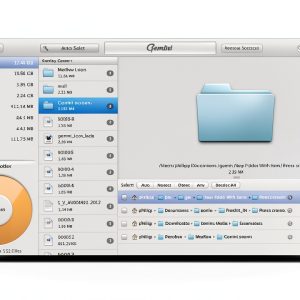


 System Mechanic Ultimate Defense Antivirus by iolo PC Maintenance
 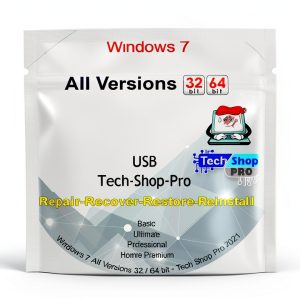 Windows Reinstall USB by Tech-Shop-pro PC Maintenance Tool
  Terviiix 24K Titanium Hair Crimping Iron TXB014W 1.5 Inch Wide Plates
  Windows 11 Pro 64-bit Recovery DVD USB Combo Generic Restore Support
Reviews
There are no reviews yet.