

Description
Product Overview
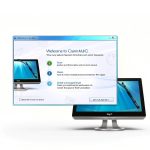
MAGIX PC Check & Tuning is a Windows‑based maintenance suite designed to keep personal computers running at peak efficiency. Developed by the long‑standing software company MAGIX, the program combines hardware diagnostics, system cleaning, performance boosting, real‑time security monitoring, and one‑click backup and restore into a single intuitive interface. The diagnostic engine examines CPU, RAM, storage, graphics, and peripheral health, presenting results in clear, color‑coded reports that highlight any bottlenecks or potential failures.
![[Product front view showing all components]](https://www.newhubs.store/wp-content/uploads/2026/07/3a19b70d83cd4435a9edd835d94439eb.jpg)
The hardware analysis goes beyond simple temperature checks; it evaluates load capacity, identifies outdated drivers, and flags components that may be limiting overall speed. Based on this data, the optimizer removes redundant files, disables unnecessary start‑up services, and fine‑tunes power settings to reduce load times and improve responsiveness. Real‑time protection runs silently in the background, detecting malicious scripts and suspicious behavior before they can compromise the system. Backup functionality creates a complete snapshot of the current configuration, allowing users to revert to a known‑good state after major updates or accidental changes. The software supports Windows 10 and later, integrates with common antivirus solutions, and receives automatic definition updates to stay current with emerging threats. Its lightweight design ensures minimal impact on system resources, making it suitable for both high‑performance workstations and modest home PCs. The user interface follows a wizard‑style flow, offering clear explanations at each step and a progress bar that keeps users informed without overwhelming them.
Automatic updates are delivered through a secure channel, guaranteeing that the latest performance patches and security definitions are applied without user intervention. For power users, advanced settings expose granular control over cleaning rules, component testing, and logging, while the default mode provides a fully automated experience. Compatibility testing across a wide range of hardware configurations ensures that the tool works reliably on desktops, laptops, and all‑in‑one PCs, regardless of manufacturer.
Overall, MAGIX PC Check & Tuning delivers a holistic maintenance solution that replaces the need for multiple disparate utilities, consolidating diagnostics, optimization, protection, and recovery into one cohesive package.
Usage
Typical usage scenarios include routine weekly maintenance for home users who want a faster, more secure computer without deep technical knowledge, as well as office environments where multiple workstations require consistent performance and data safety. Gamers benefit from reduced load times and stable frame rates after the program clears background processes and optimizes graphics driver settings. Small businesses can schedule automatic scans during off‑hours, relying on the backup and restore feature to protect critical configuration files and application settings.
Because the interface is menu‑driven and includes step‑by‑step wizards, even users with limited experience can complete a full system check in under fifteen minutes. The tool also offers advanced options for power users, such as custom cleaning rules, selective component testing, and detailed logging for audit purposes. For users concerned about battery life on laptops, the program automatically switches to a low‑impact mode when running on battery, and scans can be scheduled to start only when the device is plugged in. In educational settings, IT administrators can deploy the software across computer labs, using the centralized backup feature to maintain a consistent baseline configuration and quickly restore any machine that encounters software issues.
The software’s reporting system provides a printable summary that can be archived for compliance documentation or shared with technical support when troubleshooting. Users can also export the diagnostic log to a CSV file for deeper analysis or to integrate with third‑party monitoring tools. By integrating seamlessly with existing security suites, MAGIX PC Check & Tuning enhances overall protection without creating conflicts or redundant alerts.
Why Choose Us
Choosing MAGIX PC Check & Tuning means relying on a solution that has already optimized more than eleven million PCs over a decade of continuous development. The software’s transparency is reflected in its detailed protocols, which list every action taken during a scan, allowing users to verify changes and understand the impact on system performance. Quality assurance is reinforced by a rigorous internal testing process and a dedicated support team that provides prompt assistance, regular updates, and a clear roadmap for future enhancements.
Customers benefit from a proven track record, as indicated by a 4.7‑star rating from verified purchasers and a strong ranking within the PC Maintenance category on major retail platforms. The combination of real‑time protection, comprehensive backup, and performance tuning delivers a holistic maintenance experience that reduces the need for multiple disparate tools. MAGIX’s commitment to ongoing innovation is evident in the frequent release of feature‑rich updates that address emerging security threats, new hardware standards, and evolving user expectations.
The company also offers a knowledge base filled with step‑by‑step guides, video tutorials, and troubleshooting articles, ensuring that users can resolve most issues independently. For enterprise customers, optional premium support packages provide priority response times, dedicated account managers, and on‑site training sessions. This blend of reliability, transparency, and customer‑centric service makes MAGIX PC Check & Tuning a trustworthy choice for both individual consumers and organizations seeking long‑term PC health management.
Key Features
- Comprehensive hardware diagnostics that identify performance limits and potential failures, giving you clear insight into CPU, memory, storage, and GPU health.
- Automatic system cleaning removes junk files, disables unnecessary start‑up entries, and optimizes power settings to speed up boot times and overall responsiveness.
- Real‑time protection continuously monitors for malware and suspicious activity, providing silent security without slowing down everyday tasks.
- One‑click backup creates a full system snapshot, and restore instantly returns your PC to a previous stable state after updates or accidental changes.
- Dedicated customer support offers personalized assistance, regular software updates, and a knowledge base to ensure long‑term reliability and satisfaction.
FAQ
How often should I run PC Check & Tuning?
For most users a weekly full scan provides a good balance between performance and security. After major Windows updates, new software installations, or noticeable slow‑downs, running an additional check is advisable.
Does the backup feature overwrite existing data?
The backup creates a separate restore point and does not delete or replace your personal files. You can keep several restore points and choose which one to revert to, preserving all original data.
Is the real‑time protection a replacement for my existing antivirus?
The real‑time module works alongside your existing antivirus, focusing on behavior‑based threats and suspicious activity. It complements signature‑based protection rather than replacing it, providing layered security.
Can I use the software on a laptop with limited battery?
Yes, the program includes power‑saving modes that limit intensive scans while on battery. You can also schedule scans to run only when the laptop is plugged in, preserving battery life.



 Windows Reinstall USB by Tech-Shop-pro PC Maintenance Tool
Reviews
There are no reviews yet.